Coming soon to iPhone, Android and the web
Read any menu like a local.
Snap the menu and every dish is translated right where it is written, explained, with how to eat it. Then you show your order to the waiter, in their language.
- Free forever, with ads
- Ad-free: €2.99/month
- No account
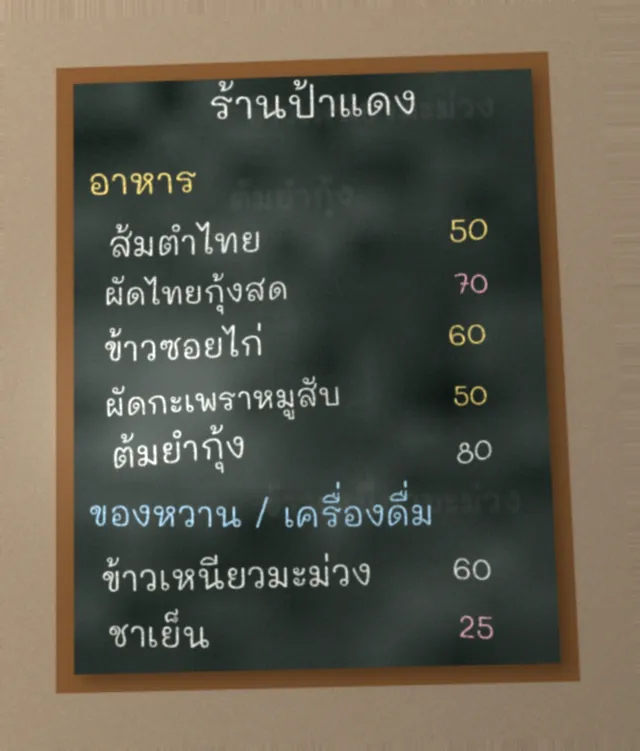 Before
 With MenuNative
It translates it, explains it, and tells you how to eat it.
The same board, from the photo to the order. Here, a peanut allergy is set in the profile.
-
The menu
Snap the menu.
No need to pick the language: the app reads over 100 languages, even chalked on a board.
-
You can’t read the script
It translates, on the photo.
Every dish is numbered and translated where it is written. Hold “See original”: the labels step aside and the menu comes back untouched, to show the waiter or check a line.
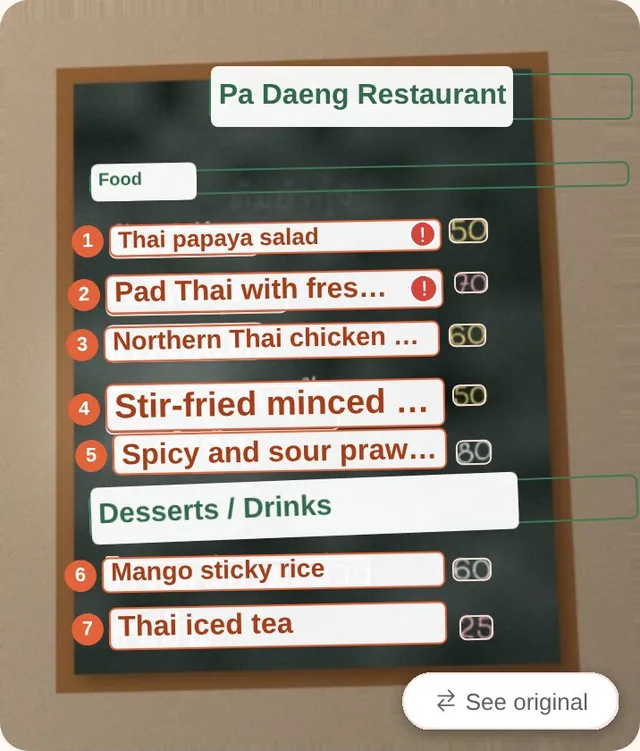
Translated 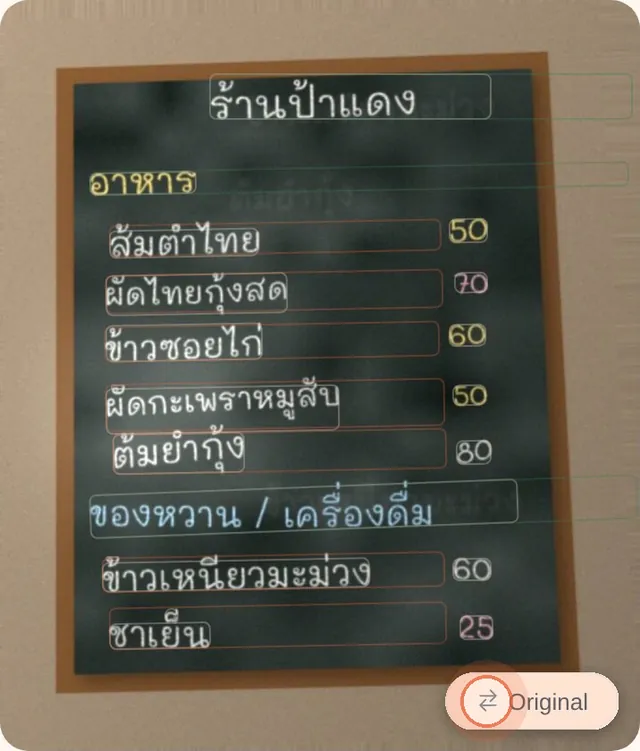
Held: the original -
To choose at a glance
The whole menu, as a list too.
Switch between Photo and List at any time, at the top of the screen. The list shows each dish: translation, original script, pronunciation, converted price, one line on what it is, and filters (For me, Not spicy…).
- Spicy, a little spicy: the dish’s usual heat.
- Allergy: peanut: an ingredient from your profile, in the usual recipe.
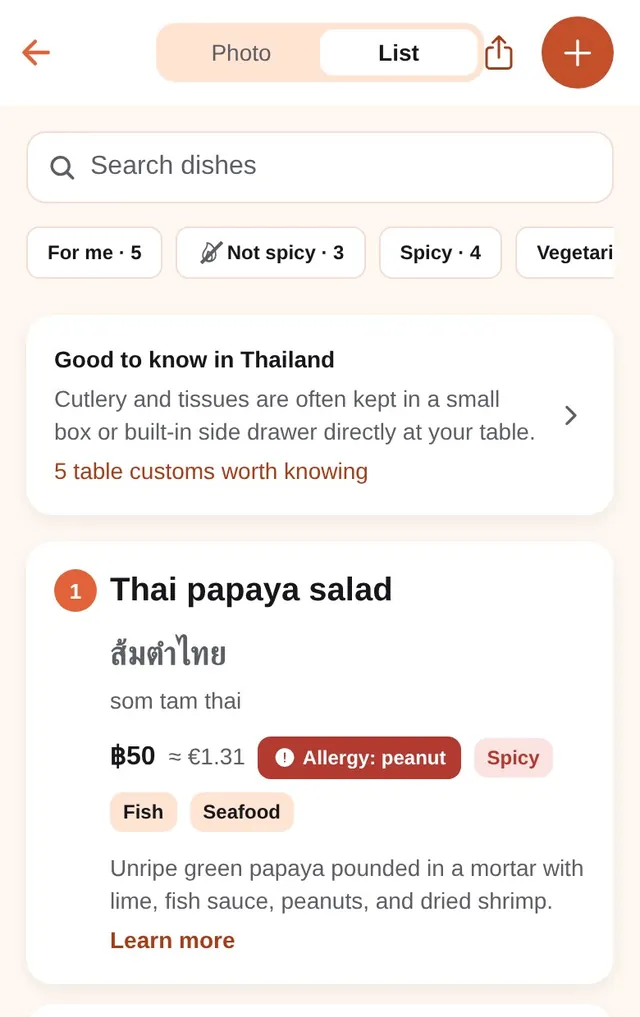
-
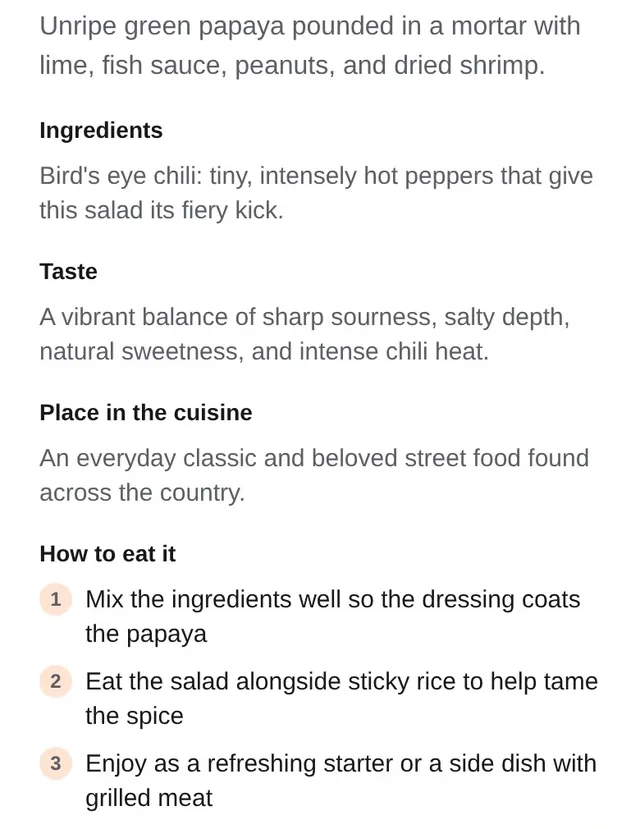
You can read the name, but what is it? What does it taste like?
It explains it all, and tells you how to eat it.
What it is, the ingredients, the taste (sour, salty, sweet, hot), then how to eat it. Som tam: mix it so the dressing coats the papaya, and eat it with sticky rice to tame the spice.
-
You don’t know how to order
Show your order to the waiter.
Pick dishes and quantities; the waiter view shows them large, in Thai, with the total. For the rest, the country guide gives you the phrases: “not spicy, please”, “I’m allergic to peanuts”, written and read aloud.
- Allergy: peanut stays flagged in the order.
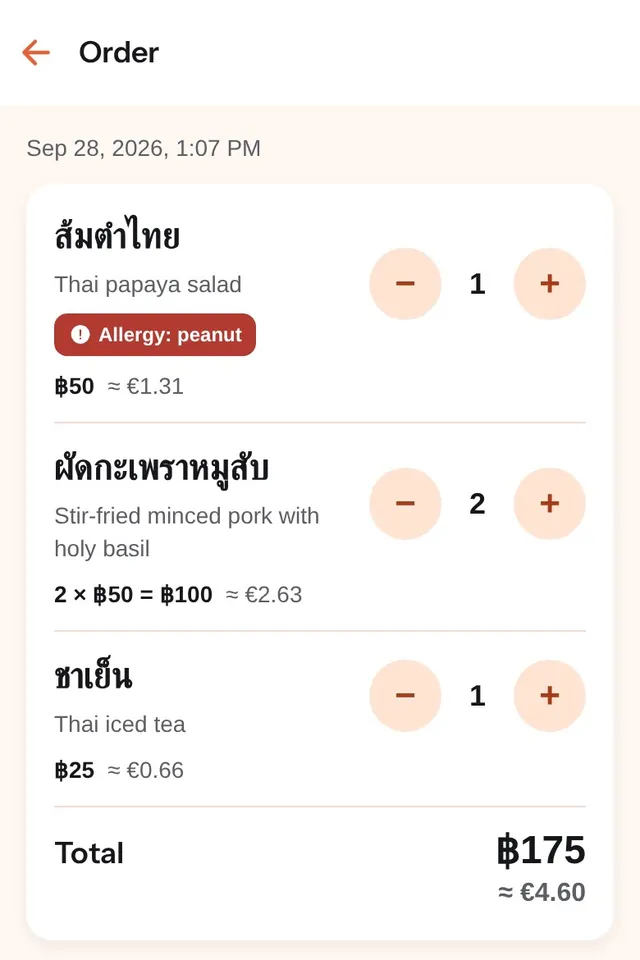
Your order 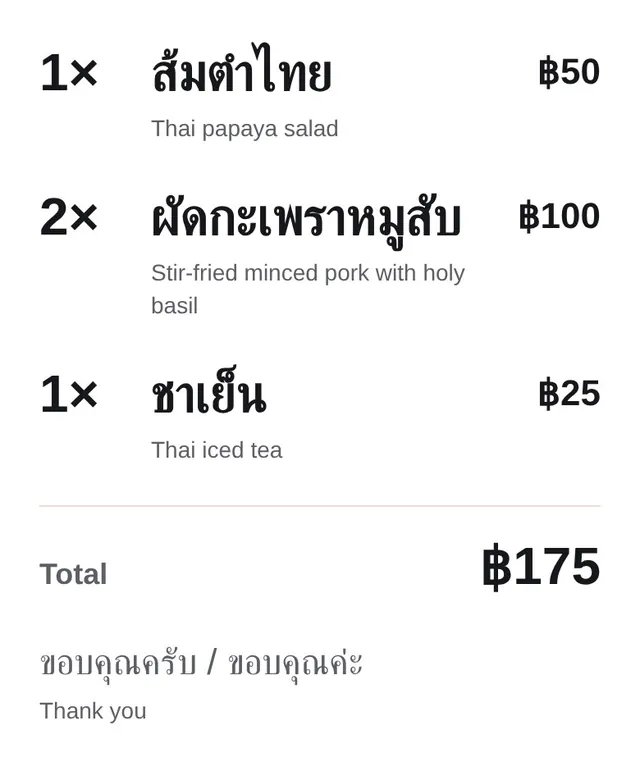
Waiter view
Translations and explanations are AI-generated and can be wrong. Allergens shown are those of the usual recipe, not necessarily this restaurant’s: if you have an allergy, always ask the staff.
Why I’m building MenuNative
I’m Fiona, a freelance developer. I lived in Korea for five years: I could read Hangul, and still had no idea what the dishes were. In Japan, it was the kanji.
I’m heading to Chiang Mai, then Da Nang. Google Lens translates, but it paints over the original text, so I can’t show my phone to the waiter. So I’m building the app I need, testing it in real local restaurants, and sharing it all on @fiona.nomad.
Questions
When does it launch?
In the coming weeks. Leave your email: I’ll write when it launches, and invite you to the beta if you want to try it first.
How much does it cost?
Nothing, forever. Your first 3 scans are on us; after that, keep using it for free with ads, or go ad-free for €2.99/month, cancel anytime (or €19.99/year, or €49.99 once; fair use: about 300 scans a month). The waiter view stays free.
Which languages?
Menus: over 100 languages, including Thai, Japanese, Korean, Chinese, Vietnamese, Arabic, Greek and Hindi. Translations and explanations: in English, French or Spanish. Country guides (useful phrases, table customs) cover Thailand, Vietnam, Japan, Korea and China for now.
Do I need an account?
No: on iPhone and Android the app works without one. On the web, an account is only needed to go ad-free.
Why not Google Lens and ChatGPT?
Lens replaces the menu’s text with its translation, so you can no longer show your screen. ChatGPT explains, but in one block, and you have to match each answer to its line. MenuNative does both on the photo, dish by dish, and keeps the original.
What if I have an allergy?
Set it in your profile: every dish that usually contains it is flagged in red, on the photo, in the list and in your order. That is the usual recipe, not this restaurant’s: always ask the staff.
What do you do with my email?
It is only used to tell you about the launch and the beta. It is never sold or shared, and you can unsubscribe or ask for it to be erased at any time. Details on the privacy page.
Travelling soon?
Leave your email: I’ll let you know as soon as MenuNative is ready.